TradeSafe
The Challenge & Process
Retail options traders often struggle to manage risk at scale. Manually setting stop-losses, tracking dozens of positions, and reacting to market moves in real time is error-prone and emotionally draining. I wanted to build a mobile-first tool that could automate risk and profit-taking while surfacing actionable insights—without requiring users to stare at charts all day.
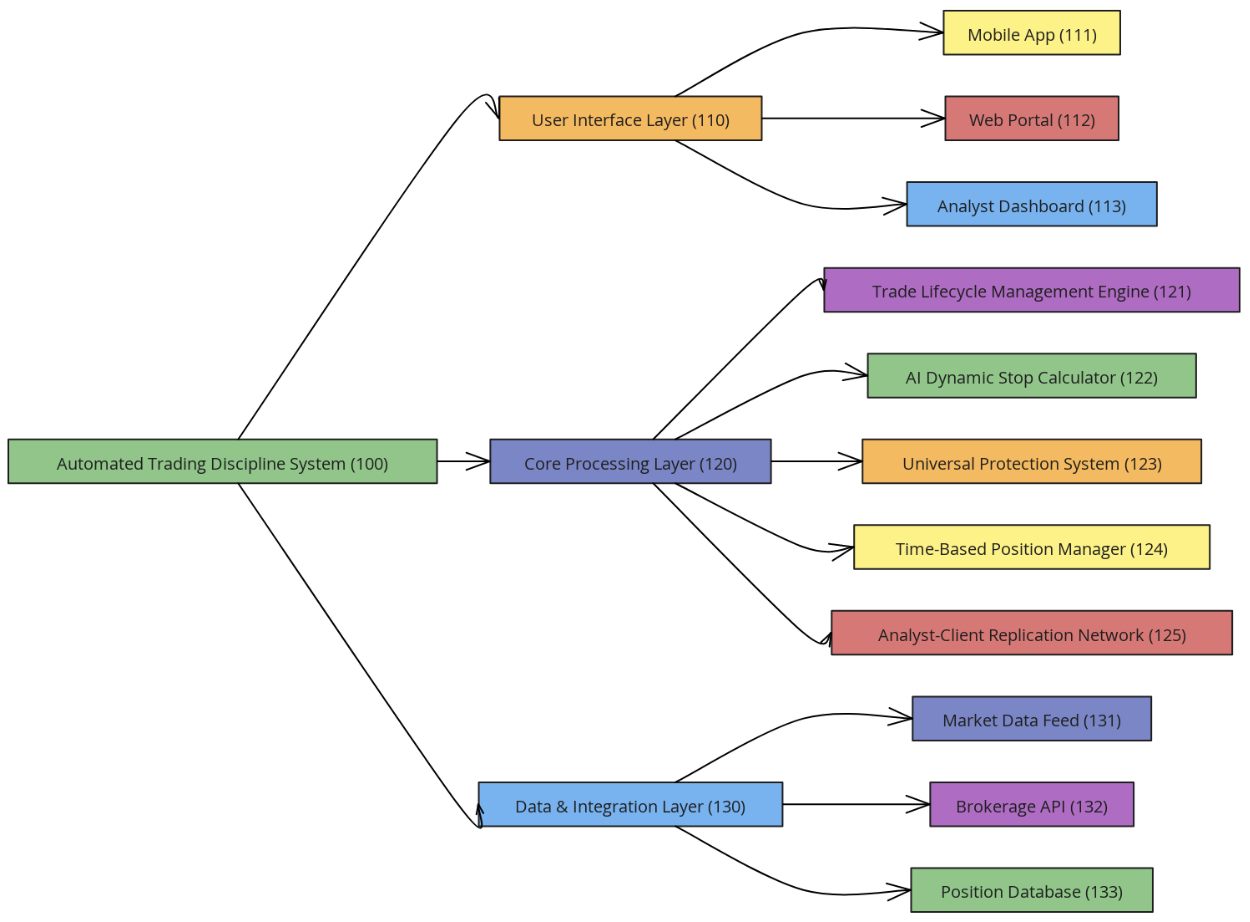
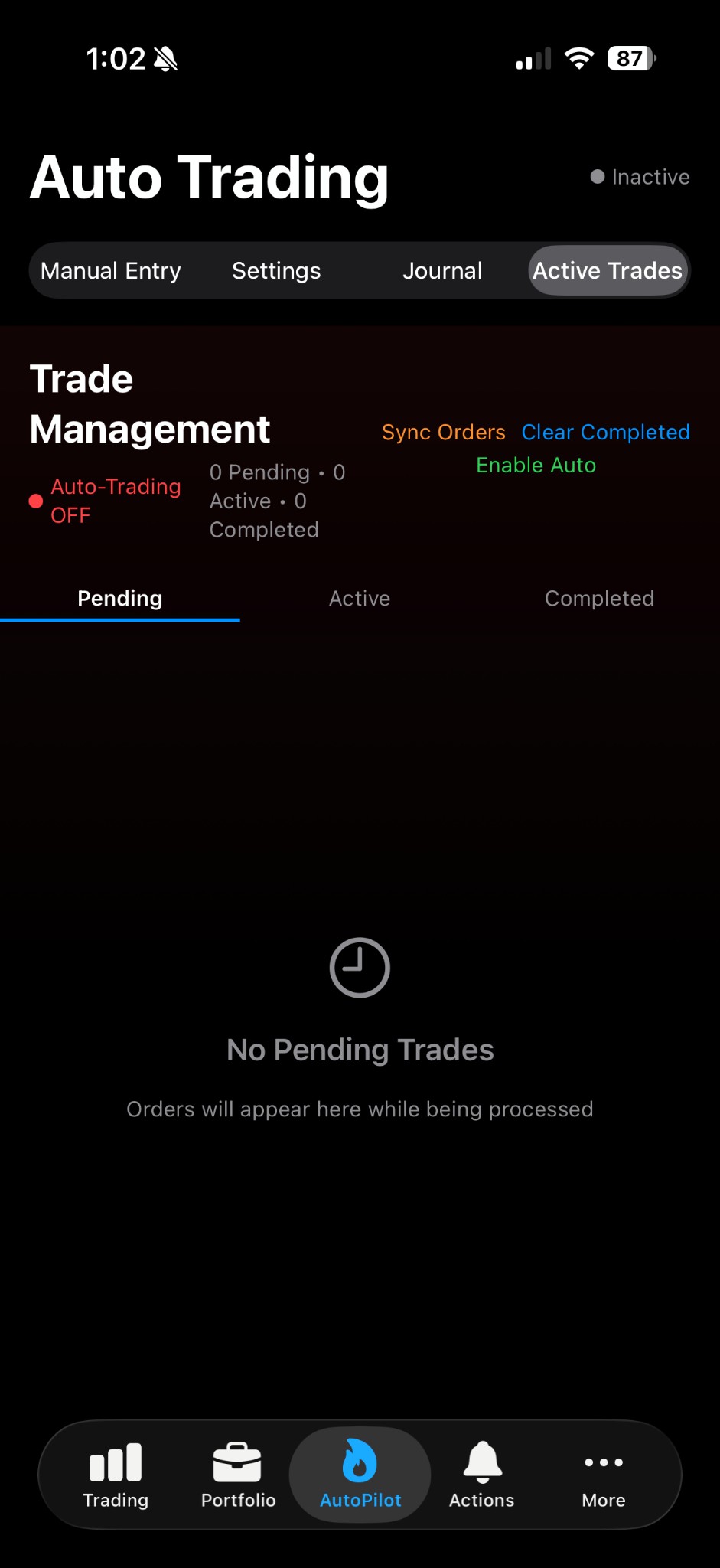
I scoped the project around three pillars: brokerage integration (so decisions could be executed, not just suggested), options-aware logic (expiration, Greeks, and liquidity), and predictive signals backed by historical data. I chose Charles Schwab’s API for real brokerage connectivity and Polygon for high-quality, historical and real-time equity and options data. The design process centered on a simple dashboard: positions, risk metrics, and one-tap actions for stops and profit targets, with push notifications for critical events.
Development followed an iterative cycle: core API integration and auth first, then position sync and risk calculations, then the ML pipeline and backtesting, and finally the iOS UI, notifications, and polish. I prioritized security (OAuth 2.0, token storage, Face ID) and reliability (retries, rate limiting, offline-friendly reads) from the start.
The Solution & Impact
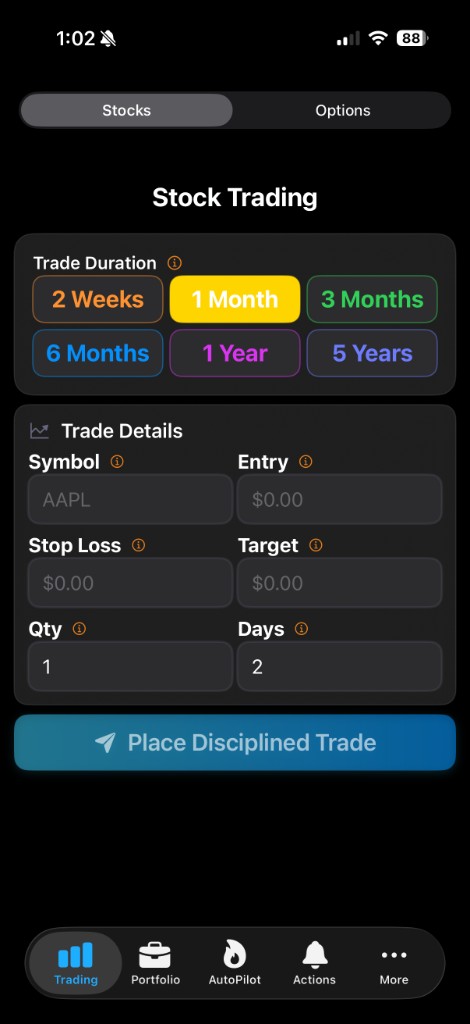
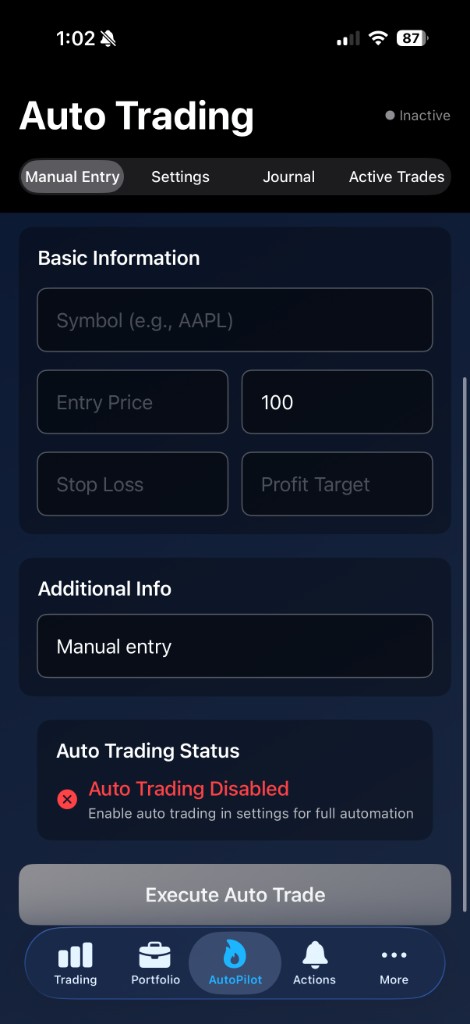
TradeSafe is an intelligent mobile application that connects directly to a user’s Schwab brokerage account to automate risk management, intelligent stop-loss and profit-taking, and AI-driven market insights—all from a single, focused interface.
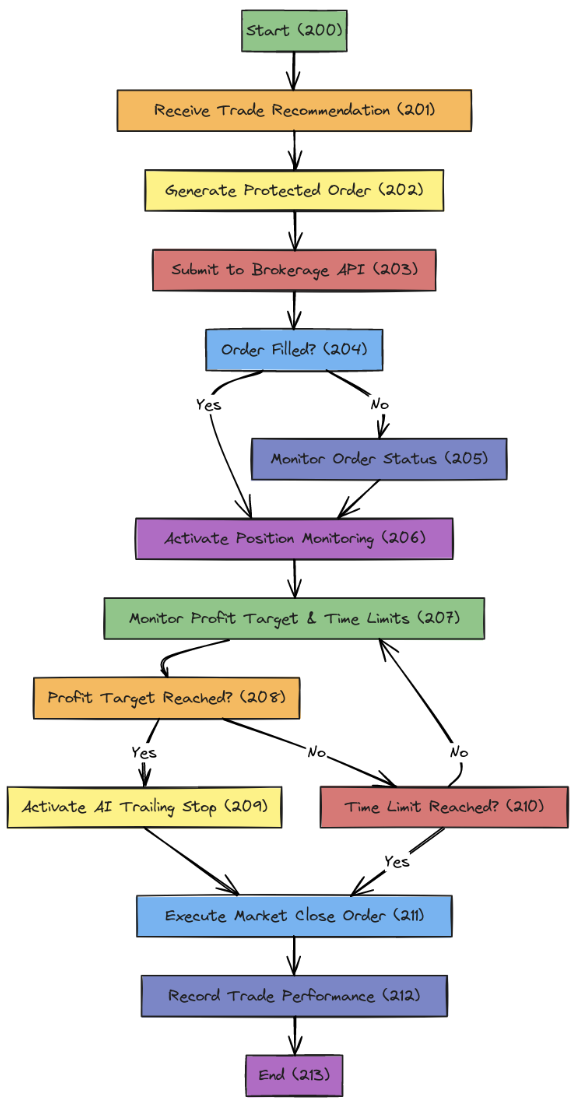
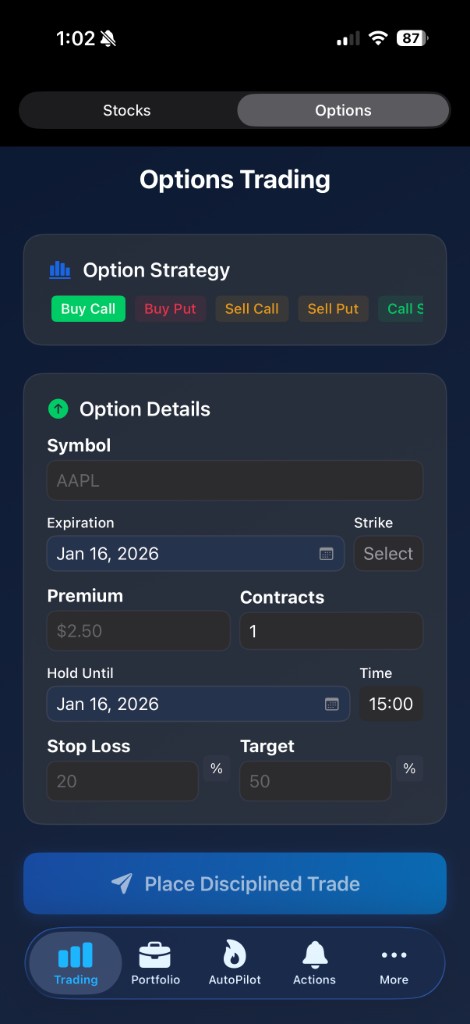
The app maintains a live view of the user’s positions and applies configurable rules for stop-loss and profit-taking. Users can set percentage or dollar-based stops and targets per position or use portfolio-level rules. Trailing stops automatically adjust as positions move in the user’s favor, locking in gains while limiting downside. For options, the system accounts for expiration and liquidity so recommendations stay executable.
TradeSafe uses Charles Schwab’s official API for authentication, account and position data, and order placement. Market data—real-time quotes, historical bars, and options chains—is supplied by Polygon, enabling accurate Greeks, volatility, and trend analysis. A custom machine learning model was trained on 50,000+ historical stock records spanning more than a decade and outperformed baseline approaches by 18% in prediction accuracy in backtesting. Predictions surface trade ideas, highlight higher-risk positions, and inform suggested stop and target levels. The pipeline runs server-side so the phone stays fast and battery-efficient.
Authentication is handled via OAuth 2.0 with Schwab; tokens are stored securely and refreshed automatically. The app supports Face ID for quick, secure access. Push notifications alert users to significant moves, stop-outs, or profit targets hit. The UI is built for quick scans and one-tap actions: view positions, adjust risk, or place orders with minimal friction. Built with native iOS (Swift), Schwab and Polygon APIs, and server-side ML and backtesting—TradeSafe demonstrates end-to-end ownership focused on real-world risk management for options and equity traders.